

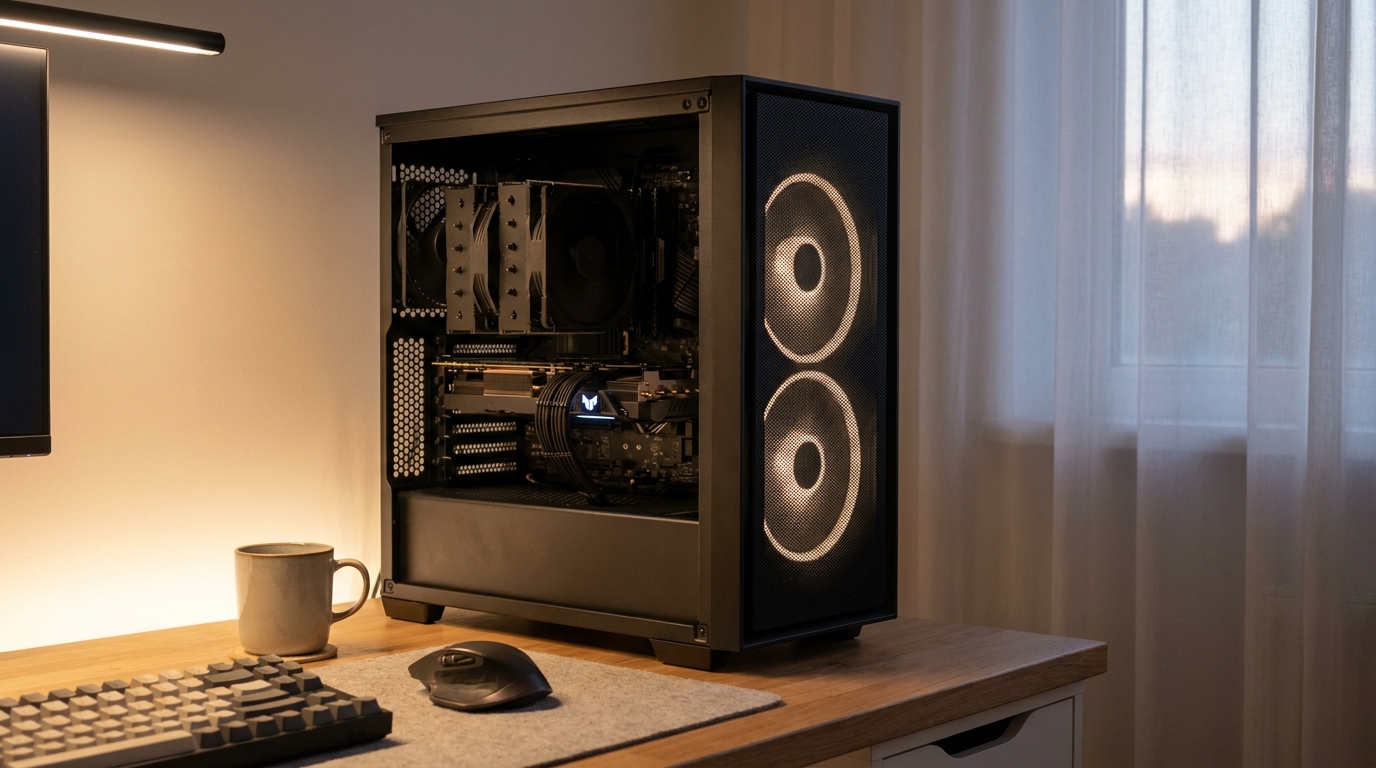
Power and quiet are not natural companions. More powerful components generate more heat. More heat demands faster fans. Faster fans create more noise. For years this was accepted as a fundamental trade-off in PC building. You could have a powerful machine or a quiet one, but not both without spending a lot of money. That trade-off is dissolving, driven by advances in cooling technology, chip design, and case engineering that are making cool, quiet, and powerful a realistic combination for mainstream builds.
For anyone looking at cooling and performance PC parts today, the options available are dramatically better than what existed just a few years ago. The engineering behind modern thermal management has closed the gap between what high performance requires and what quiet operation demands. Here is how that happened and what it means for building a PC that does not compromise.
Processor Efficiency: Less Heat to Manage in the First Place
The most effective way to build a quieter and cooler PC is to generate less heat to begin with. Modern processor architectures have made enormous progress on this front. Both AMD and Intel have shifted focus from simply increasing clock speeds to improving the amount of useful work done per watt of power consumed.
AMD’s Ryzen processors built on TSMC’s advanced process nodes deliver performance levels that would have required much higher power draw on older manufacturing processes. The same computation that needed 200 watts on an older architecture might need 125 watts on a current one. Less power consumed means less heat generated. Less heat means cooling systems can run more slowly and quietly for the same performance outcome.
Intel’s hybrid architecture, which combines high-performance cores with efficient cores on the same die, allows the processor to handle light workloads on the efficient cores without activating the high-power cores at all. A PC doing email and browsing runs on power budgets that barely require the cooling system to engage at all. This adaptive power behavior is invisible to the user but contributes significantly to quiet operation during everyday tasks.
GPU Cooler Design: Three Fans and Large Heatsinks
Graphics cards have historically been the loudest components in gaming PCs. They generate enormous heat in a compact package. Older GPU cooler designs used small high-speed fans that had to spin fast to move enough air. Fast small fans are loud.
Modern premium GPU cooler designs use three large fans over large heatsink arrays with heat pipes that spread thermal load across as much surface area as possible. Large fans move more air at lower rotational speeds. Lower speeds mean less noise. The heatsink area matters as much as the fan size. More metal surface area means more heat can be transferred to the airflow at lower temperature gradients. Both factors reduce the speed at which fans need to spin.
GPU manufacturers now program semi-passive fan behavior into their default driver profiles. When GPU temperature is below a defined threshold, the fans stop spinning entirely. The heatsink passively dissipates the low heat load through convection. Fans only activate when the GPU actually needs active cooling under load. For users who spend significant time at the desktop or doing light tasks, the GPU makes no fan noise at all for long periods.
AIO Liquid Cooling: Moving Heat to Where It Can Be Managed
All-in-one liquid coolers have become mainstream for CPU cooling in high-performance builds. They offer a different approach to the noise problem. Instead of keeping the heat at the CPU and managing it with a large local heatsink and fans, AIO coolers move the heat away through liquid and reject it at the radiator mounted on the case.
A 360mm AIO radiator has three times the surface area of a 120mm radiator. Three 120mm fans mounted on this radiator can each spin very slowly because the large area handles heat dissipation efficiently at low airflow velocities. Slow fans are quiet fans. The pump that circulates coolant is the only additional noise source, and quality pump designs run at near-inaudible levels.
For processors with high thermal design power, this approach maintains lower CPU temperatures than most air coolers can achieve. Lower temperatures mean more consistent boost clock frequencies sustained for longer periods. The result is both quieter operation and better sustained performance than an equivalently priced air cooler provides in high-TDP scenarios.
Case Design: The Container Determines Everything
The case shapes the thermal environment for every component inside it. A case with poor airflow forces components to run hot. Hot components demand faster fans. Faster fans make noise. A case with excellent airflow keeps components cooler at lower fan speeds. The relationship is direct and consistent.
Modern case design has improved dramatically. Mesh front panels have replaced the solid panels that characterized popular cases from previous years. Solid panels look sleek but restrict intake air severely. A case needs air to flow freely in from the front and out from the rear and top. Restricting intake forces fans to work harder for the same airflow volume. This is the thermal equivalent of breathing through a cloth. It works, but it requires more effort and produces more noise.
Fractal Design, Lian Li, be quiet!, and Corsair have all released cases with large mesh panels, optimized airflow paths, and integrated fan controllers that adjust speeds based on temperature readings. These cases allow the same components to run significantly cooler and quieter than they would in older designs. The case is often the single most impactful upgrade for improving thermal and acoustic performance in a build.
Fan Technology: Bearings, Blades, and Curves
Not all fans are equal in their approach to the noise and airflow challenge. Fan engineering has advanced considerably. The bearing type inside a fan is the primary determinant of long-term acoustic performance and lifespan. Sleeve bearings are cheap and initially quiet but degrade faster and become noisier as they age. Ball bearings last longer but can be intrinsically noisier. Fluid dynamic bearings combine longevity with very low noise across their operational life.
Blade design affects how efficiently a fan converts rotational energy into airflow. Modern fan blades use aerodynamically optimized profiles that minimize turbulence and maximize the static pressure needed to push air through heatsink fins and radiators. A more aerodynamically efficient blade generates the same airflow at a lower RPM than a less optimized design. Lower RPM is quieter.
PWM fan control allows the motherboard or fan controller to adjust fan speed with high precision based on actual temperature readings rather than running at a fixed speed. A well-tuned PWM fan curve keeps fans at their minimum audible threshold during light workloads and ramps them up smoothly only when temperatures genuinely require it. Setting up this curve in the BIOS takes fifteen minutes and produces a PC that is dramatically quieter during everyday use than the same hardware running default fan profiles.
Where the Race Is Heading
The trend toward cooler, quieter, and more powerful PCs is accelerating rather than slowing. Processor architectures are becoming more efficient with each generation. Cooling technology is becoming more sophisticated. Case designs are becoming more optimized. These improvements are reaching mainstream price points faster than ever before.
The PC that would have required enthusiast-level spending to be simultaneously powerful and quiet five years ago is now achievable at mid-range budgets. The race to eliminate the trade-off between performance and acoustics has produced results that benefit every level of builder. And the engineers on both sides of that race show no signs of slowing down.